
Dallas CCTV Installers designs and installs commercial security camera systems across Dallas–Fort Worth. We work with businesses to identify the views that help staff understand a delivery, inspect activity at an entrance, or review the events leading up to an incident.
Plan a useful view of the storefront or customer entrance and decide where you need more detail inside. A wide view may be useful around a sales floor, while a more focused angle can help staff review what happened at a pickup counter. Include rear doors, delivery areas, and any exterior mounting approvals in the discussion.
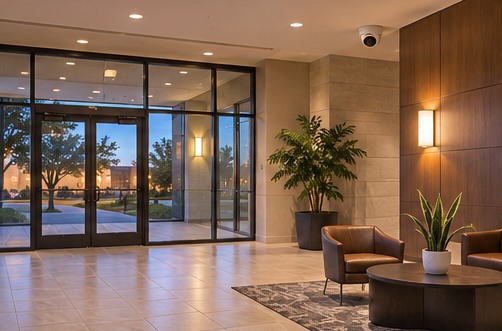
Offices may need to cover a lobby, employee entrance, or equipment room. Confirm what the tenant controls and what the property manager must approve. When the system involves business connectivity, include your IT or facilities contact so network requirements, cable pathways, and recorder placement can be evaluated.
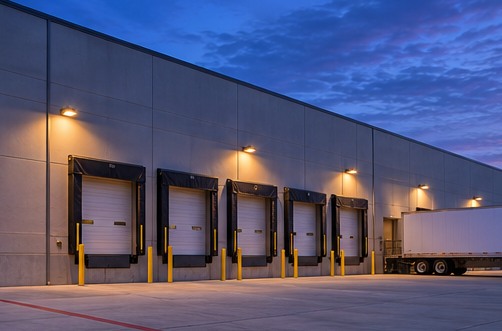
Receiving areas, loading docks, and vehicle gates often need separate views. Consider vehicle routes, door height, shadows, and lighting changes at shift handoffs. Decide how long footage should stay available and who needs the ability to export clips. Those choices help determine recording and storage requirements.
Each type of business uses footage differently, so we plan around your operation.
A commercial system is only useful if you can find the right footage quickly. We help you decide how many days of video to keep, which cameras should record continuously and which can record on motion, and who needs access. Storage is sized to the retention you choose, so you are not surprised when footage is overwritten sooner than expected.
For businesses with several locations, many systems support viewing every site from one app. We can set user roles so a regional manager sees every location, while a store manager only sees their own.
We schedule work around your customers and staff. That can mean early starts, after-hours work for occupied spaces or coordinating with a contractor during a build-out. Before we start, we confirm mounting locations, cable paths and any approvals from your landlord or property manager.
We start with a walkthrough of the site with the person who knows the operation best. Together we list the areas that matter: entrances, cash handling, inventory, docks, gates and parking. For each area we decide what the footage must show, such as a face, a plate, a package or the general flow of people. From there we choose cameras and lenses, plan cable paths and recorder location, and size storage to your retention target. You receive a clear proposal that explains each camera, so decision makers can approve it with confidence.
Clear footage can help a business respond to slip-and-fall claims, delivery disputes, employee questions and break-ins. To be useful, cameras need to show the right area at the right level of detail, and recordings need to be kept long enough for a claim to be reported. We plan coverage around the incidents that matter most to your business and make sure managers know how to export a clip with an accurate time stamp.
Many businesses in Dallas–Fort Worth still run older analog cameras with grainy footage. You may not need to replace everything at once. Depending on the equipment, we can reuse some cabling, replace the recorder, upgrade the most important cameras first and plan the rest in phases. We start by testing what you have and showing you what is worth keeping.
Possibly. We’ll need details about the current cameras, recorder, network, and cabling to assess what can be retained.
Some systems support centralized viewing. Confirm site limits, user permissions, and whether each location needs its own retention settings.
Share the site location, the areas to cover, whether work must fit specific hours, and any information about existing equipment. A floor plan or a few photos can also help.
Many businesses keep at least 30 days. The right length depends on how quickly incidents are reported, insurance requirements and company policy. We size storage to match.
Yes. We can schedule installation around opening hours to limit disruption for customers and staff.
Yes. We work with your IT contact on network placement, bandwidth and secure remote access, or we can set up a separate network for cameras.
Yes. We provide a simple camera layout for landlord approval and follow the building’s rules for exterior mounting and cabling.
Most systems let authorized users export clips with time stamps. We show your team how to do it during the walkthrough.
Share your property location, coverage priorities, and any existing equipment so we can discuss your installation.